
Why Root supports Apps and Bots

With Root about to launch its community developer program I wanted to talk about the Root app model, specifically, why does Root support both Apps and Bots? The short version: bots are great for automation, apps deliver experiences.

Bots on Root

Let’s be direct, Discord helped pioneer the bot model for communities. Bots have helped communities automate moderation, manage roles, run events, and capture feedback.

And when you want things to happen automatically, bots are amazing.  

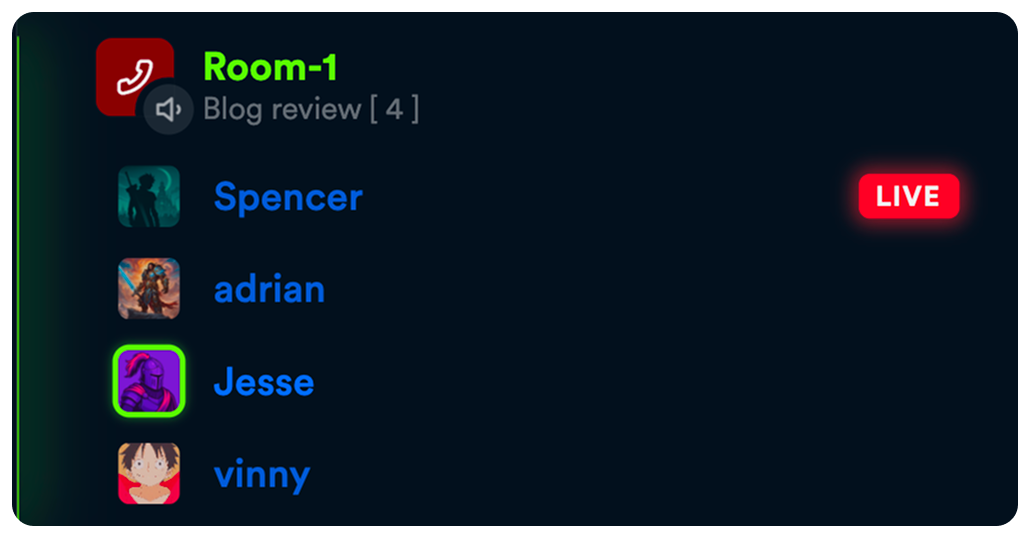
I recently built a simple bot that adds the user count to a voice channel description as users join the call and clears the description when everyone leaves. It requires zero human interaction and runs continuously. Perfect use for a bot.

Moderation is another great example. A bot can delete spam or remove messages with banned words. But what happens when you want to audit the moderation log? Change the banned word list? Review frequent offenders?  

Developers can build complex menus and configuration systems in pure text, and many successful bots have done this through slash commands.

But that model exists because, on most platforms, chat is the primary interface.

Bots historically do too much work because on most platforms, there isn’t a better option.

Apps on Root

Apps enable developers to present complete graphical interfaces, directly within a channel on Root on both desktop and mobile.

Compared to bots, Apps give developers more creative freedom. They can build multi-screen interactive experiences, use animations, and selectively present UI based on roles.

Apps on a communication platform

Apps are elevated when they run within a community, they’re not visual, they can also show the user updates as they happen.

If one user enters data, changes a setting, or makes a move in a game, those updates are immediately shown to all other users. This makes Apps a live shared experience.  

A simple but powerful example is the Root polling app. Users can both vote and watch the results change live from within the app.
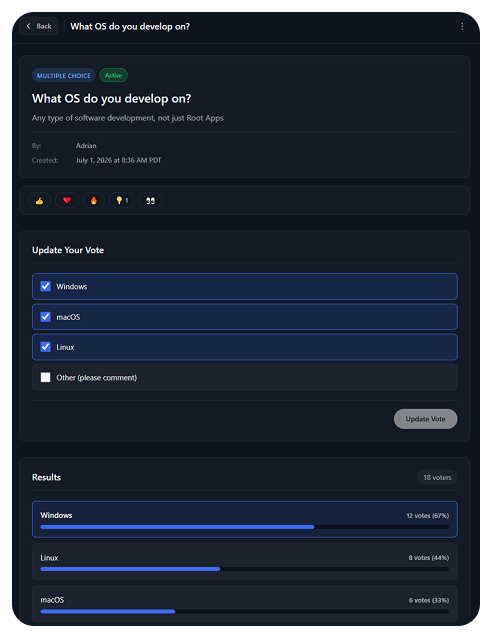

Root Apps really become a form of communication. Think about every channel you’ve seen where users pin messages, or create bots to capture and summarize data, could that be an interactive experience?  

     • Would you rather pin messages or edit a community wiki?

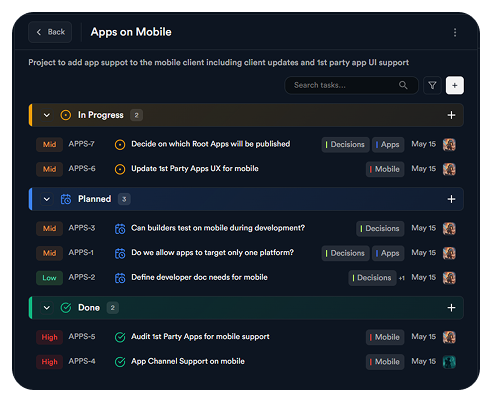
     • Do you want to post to-do reminders as text or use a structured task tracking app?
How to choose

Ultimately, it’s up to the developer to decide. But generally, most bots today could be a better user experience as an App. I would only choose a pure bot if I wanted something running in the background with little or no human interaction.

And developers don’t need to choose. Apps on Root can perform any action a Bot can. You can process slash commands; you can read text channels and send messages from an App.  

My advice is: start where you’re comfortable but be open to expanding your vision. And come share your thoughts or ask questions on the Root Developer Community.

Why Root supports Apps and Bots

Developer Relations
Tag 1
Tag 2

With Root about to launch its community developer program I wanted to talk about the Root app model, specifically, why does Root support both Apps and Bots? The short version: bots are great for automation, apps deliver experiences.

Bots on Root

Let’s be direct, Discord helped pioneer the bot model for communities. Bots have helped communities automate moderation, manage roles, run events, and capture feedback.

And when you want things to happen automatically, bots are amazing.  

I recently built a simple bot that adds the user count to a voice channel description as users join the call and clears the description when everyone leaves. It requires zero human interaction and runs continuously. Perfect use for a bot.


Moderation is another great example. A bot can delete spam or remove messages with banned words. But what happens when you want to audit the moderation log? Change the banned word list? Review frequent offenders?  

Developers can build complex menus and configuration systems in pure text, and many successful bots have done this through slash commands.

But that model exists because, on most platforms, chat is the primary interface.

Bots historically do too much work because on most platforms, there isn’t a better option.

Apps on Root

Apps enable developers to present complete graphical interfaces, directly within a channel on Root on both desktop and mobile.

Compared to bots, Apps give developers more creative freedom. They can build multi-screen interactive experiences, use animations, and selectively present UI based on roles.

Apps on a communication platform

Apps are elevated when they run within a community, they’re not visual, they can also show the user updates as they happen.

If one user enters data, changes a setting, or makes a move in a game, those updates are immediately shown to all other users. This makes Apps a live shared experience.  

A simple but powerful example is the Root polling app. Users can both vote and watch the results change live from within the app.


Root Apps really become a form of communication. Think about every channel you’ve seen where users pin messages, or create bots to capture and summarize data, could that be an interactive experience?  

     • Would you rather pin messages or edit a community wiki?

     • Do you want to post to-do reminders as text or use a structured task tracking app?

How to choose

Ultimately, it’s up to the developer to decide. But generally, most bots today could be a better user experience as an App. I would only choose a pure bot if I wanted something running in the background with little or no human interaction.

And developers don’t need to choose. Apps on Root can perform any action a Bot can. You can process slash commands; you can read text channels and send messages from an App.  

My advice is: start where you’re comfortable but be open to expanding your vision. And come share your thoughts or ask questions on the Root Developer Community.

Make money on Root!
Lorem ipsum dolor sit amet, consectetur adipiscing elit
Learn more

Adrian Stevens

What’s a Rich Text element?

The rich text element allows you to create and format headings, paragraphs, blockquotes, images, and video all in one place instead of having to add and format them individually. Just double-click and easily create content.

Static and dynamic content editing

A rich text element can be used with static or dynamic content. For static content, just drop it into any page and begin editing. For dynamic content, add a rich text field to any collection and then connect a rich text element to that field in the settings panel. Voila!

How to customize formatting for each rich text

Headings, paragraphs, blockquotes, figures, images, and figure captions can all be styled after a class is added to the rich text element using the "When inside of" nested selector system.

Jump into the best chat experience

Lorem ipsum dolor sit amet, consectetur adipiscing elit. Elit iaculis nisi, consectetur sociis blandit augue aliquam.